

Skip to content

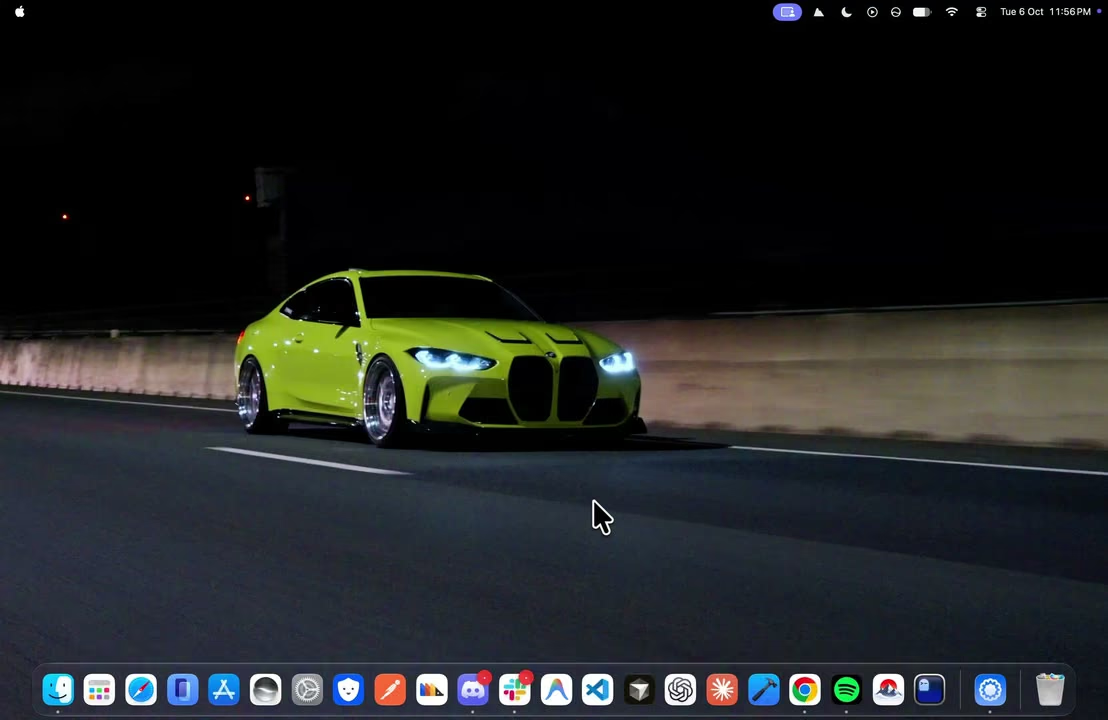
The live wallpaper app for Mac, in cinematic 4K.

1,000+ wallpapers that move, on your desktop, Lock Screen and screen saver. A native app that decodes video in hardware and pauses behind full-screen apps.

Download for Mac

Free for 24 hours, then Was $12.99 $9.09 once.

Free for 24 hours, then Was $12.99 $9.09 once.

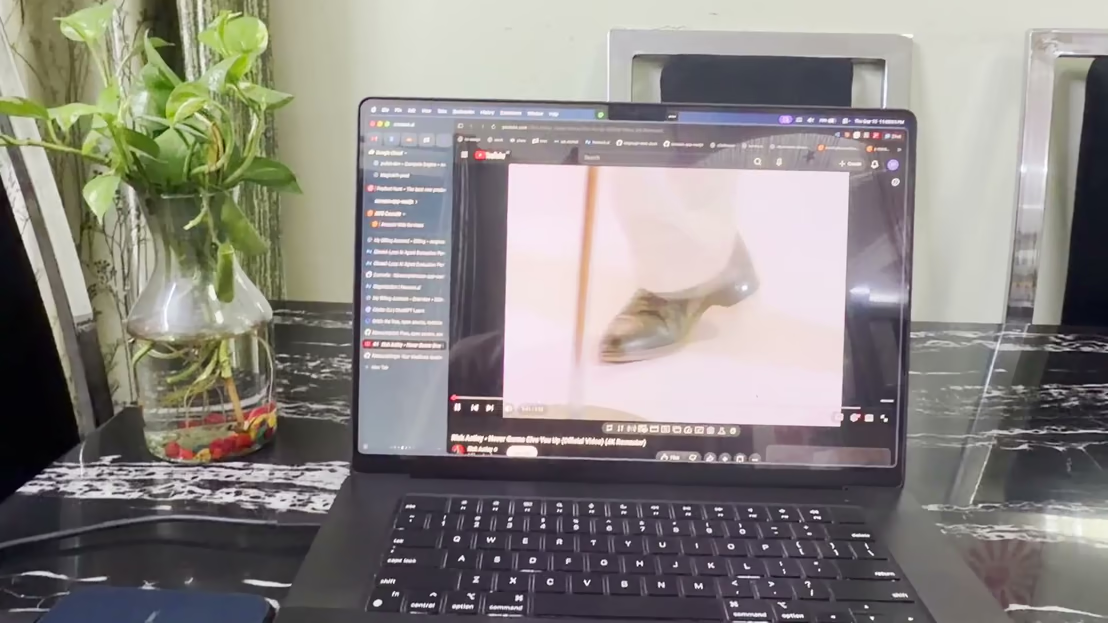
MacWall app playing a 4K live wallpaper on a MacBook desktop

One app. Every screen.

Desktop, Lock Screen and screen saver from one native Mac app, plus two things no other wallpaper app does.

  • Music SyncOnly on MacWall

    Your music, on your wallpaper

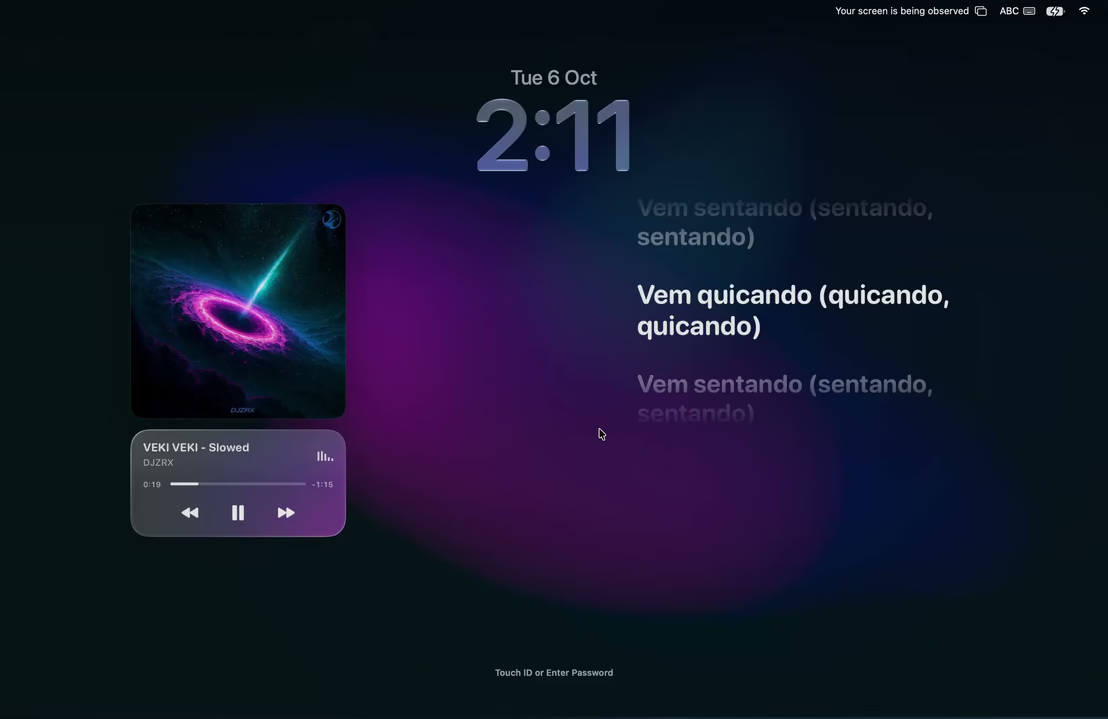
    Apple Music or Spotify turns your desktop into a visual made from the song's cover, moving on the beat.

  • BendOnly on MacWall

    Close the lid. Watch it fold.

    Bend follows your MacBook's lid angle and folds the desktop with it. Apple silicon MacBooks.

    See how Bend works
  • Lock Screen

    Lock Screen ready

    Lock Screen and screen saver play the same video from the same moment. macOS 26 (Tahoe).

    Set up the live Lock Screen

Everything in the live wallpaper app for Mac

The small things that make it feel like part of macOS.

Home and Explore

Recommended for you, 9 categories, and an Ultrawide filter.

Set Wallpaper

Shows Downloading, Applying, then On Your Mac. Right on the button.

Search

Like Spotlight. ⌘↩ sets the highlighted result.

⌘K

Menu bar

Play, pause, skip and sound without opening a window.

⌥⌘P

Every display

One wallpaper everywhere, or a different one on each screen.

Shuffle and speed

Shuffle every 15 minutes to a day. Play at 0.5× to 2×.

Sound

Some wallpapers have sound. Turn it on from the player or the menu bar.

Stills

Still images for your desktop, light on battery.

Library

Favorites, downloads, your own videos and uploads.

Bring your own

Add your own videos with Pro, or share them with the community.

⌘N

Share cards

Any wallpaper as a card with a link and a QR code.

Help in the app

Instant answers, and a real person in chat when you need one.

Light on your Mac

Keeps playing after you quit and pauses while you work.

MacWall CPU0%

0% CPU from MacWall after you quit

With MacWall Native (System Wallpaper) on macOS 26, your desktop keeps playing after MacWall quits. macOS still decodes the video.

Lock Screen ready

Desktop, Lock Screen and screen saver, set in one click.

25,000+ downloads

Installer downloads from macwall.app. A few of the people using it, from our reviews.

Gets out of the way

It pauses for full-screen apps and sleep on its own, and on battery or under heavy work if you turn that on.

Pauses on

  • Full-screen apps
  • Sleep and lock
  • High CPU
  • On battery

Data served

1,708 TB

Wallpapers and pages from Cloudflare’s network. Counted live, updated hourly.

Jun 18, 2026: 0 GB served in totalJun 22, 2026: 259 GB served in totalJun 26, 2026: 899 GB served in totalJun 30, 2026: 2.3 TB served in totalJul 4, 2026: 3.2 TB served in totalJul 8, 2026: 3.6 TB served in totalJul 12, 2026: 3.9 TB served in totalJul 16, 2026: 4.2 TB served in totalJul 20, 2026: 4.4 TB served in totalJul 24, 2026: 4.7 TB served in totalJul 28, 2026: 4.9 TB served in totalAug 1, 2026: 6.8 TB served in totalAug 5, 2026: 10.7 TB served in totalAug 9, 2026: 23.7 TB served in totalAug 13, 2026: 26.5 TB served in totalAug 17, 2026: 28.2 TB served in totalAug 21, 2026: 32.2 TB served in totalAug 25, 2026: 34.6 TB served in totalAug 29, 2026: 37.3 TB served in totalSep 2, 2026: 45.3 TB served in totalSep 6, 2026: 51.0 TB served in totalSep 10, 2026: 70.7 TB served in totalSep 14, 2026: 112 TB served in totalSep 18, 2026: 316 TB served in totalSep 22, 2026: 563 TB served in totalSep 26, 2026: 849 TB served in totalSep 30, 2026: 1,246 TB served in totalOct 4, 2026: 1,544 TB served in totalOct 8, 2026: 1,587 TB served in totalOct 12, 2026: 1,615 TB served in totalOct 16, 2026: 1,643 TB served in totalOct 20, 2026: 1,664 TB served in totalOct 24, 2026: 1,684 TB served in totalOct 28, 2026: 1,695 TB served in totalNov 1, 2026: 1,701 TB served in totalNov 5, 2026: 1,707 TB served in totalNov 6, 2026: 1,708 TB served in total

Mac users, in their own words

Real messages from people running MacWall.

Hats off to you, man! I really loved it. Thank you so much, keep working like this.
Dev SharmaMacBook Air · M2
I want to share with the community as much as possible. I'll be submitting many videos over time.
Dishan ShresthaMacBook Air · M1
Good luck with your updates. Very excited.
SonitMac · M5
Thank you so much. Take all the time you need. Appreciated.
Kranthi KalyanMacBook Air · M4
Hats off to you, man! I really loved it. Thank you so much, keep working like this.
Dev SharmaMacBook Air · M2
I want to share with the community as much as possible. I'll be submitting many videos over time.
Dishan ShresthaMacBook Air · M1
Good luck with your updates. Very excited.
SonitMac · M5
Thank you so much. Take all the time you need. Appreciated.
Kranthi KalyanMacBook Air · M4
Hey, I love the app and the wallpapers.
LakshayMac · M5
I like that the wallpaper still works when the app is closed. That's the best thing I like.
OmMacBook Air · M5
Hats off to you, man! I really loved it. Thank you so much, keep working like this.
Dev SharmaMacBook Air · M2
I want to share with the community as much as possible. I'll be submitting many videos over time.
Dishan ShresthaMacBook Air · M1
Hey, I love the app and the wallpapers.
LakshayMac · M5
I like that the wallpaper still works when the app is closed. That's the best thing I like.
OmMacBook Air · M5
Hats off to you, man! I really loved it. Thank you so much, keep working like this.
Dev SharmaMacBook Air · M2
I want to share with the community as much as possible. I'll be submitting many videos over time.
Dishan ShresthaMacBook Air · M1
Thank you so much. Take all the time you need. Appreciated.
Kranthi KalyanMacBook Air · M4
All the wallpapers are good.
ShreyasMacBook Air · M4
Hey, I love the app and the wallpapers.
LakshayMac · M5
I like that the wallpaper still works when the app is closed. That's the best thing I like.
OmMacBook Air · M5
Thank you so much. Take all the time you need. Appreciated.
Kranthi KalyanMacBook Air · M4
All the wallpapers are good.
ShreyasMacBook Air · M4
Hey, I love the app and the wallpapers.
LakshayMac · M5
I like that the wallpaper still works when the app is closed. That's the best thing I like.
OmMacBook Air · M5

Two ways to play

Pick one in Settings → Wallpaper → Playback. Switch any time.

Recommended

MacWall Native

MacWall plays it through macOS, like Apple's own. In Settings it's System Wallpaper.

Runs on macOS 26 and later

  • Yes: Keeps playing after you quit MacWall or restart
  • Yes: No MacWall CPU use once you quit the app
  • Yes: Lock Screen and screen saver match the desktop
  • Yes: Sound plays on the Lock Screen
More control

MacWall Player

MacWall plays your desktop, with more settings. In Settings it's MacWall App.

Runs on macOS 15 and later

  • Trade-off: Desktop waits for MacWall after a quit or restart
  • Trade-off: MacWall stays open to play your desktop
  • Yes: A different Lock Screen wallpaper with Lock Screen Only
  • Trade-off: Sound is muted on the Lock Screen

Good questions.

Something else? Write to support@macwall.app.

Every Mac gets one free 24-hour trial of the full catalog, Set Wallpaper and the Lock Screen. It asks for your email address but never a card. Importing your own videos needs Pro. After the trial you can keep browsing the catalog; setting live wallpapers and the Lock Screen need Pro.

Yes. You pay once and keep Pro forever, including every future update. It's not a subscription and nothing renews.

No. The trial asks for your email address but never a card, so nothing is charged. It lasts 24 hours, once per Mac. After it ends you can still browse; live wallpapers need Pro.

We email it to the address you enter at checkout, usually within seconds. Check Spam or Promotions if you don't see it, or email support@macwall.app with your receipt.

No. There's no account or login. Click Activate in the license email on your Mac, or paste the key into Settings → MacWall Pro.

Only the number of Macs. Pro works on up to 3 Macs. Pro+ works on 5 or 10. Every feature is the same on both.

Live Lock Screen and Screen Saver need macOS 26 (Tahoe) or later. Live desktop wallpapers work on macOS 15 and up.

Yes, with MacWall App playback (MacWall Player; choose it in Settings → Wallpaper → Playback): set your desktop wallpaper, then open another one, click the arrow next to Set Wallpaper and choose Lock Screen Only. With System Wallpaper playback (MacWall Native) the desktop, Lock Screen and screen saver show the same wallpaper.

Yes, with System Wallpaper playback (MacWall Native) on macOS 26 or later: macOS plays it itself, even after a restart, and the MacWall process uses 0% CPU after you quit; macOS still decodes the video. With MacWall App playback (MacWall Player) the desktop holds a still frame until MacWall opens again.

Some do; most are silent. Turn sound on from the player bar or the MacWall menu bar icon, and set the level in Settings → Sound. MacWall remembers on or off for each wallpaper.

MacWall pauses behind full-screen apps, and, if you turn them on, whenever your Mac is unplugged (Pause on battery) or busy (Pause when your Mac is busy). Change these in Settings → Battery & Performance.

Yes. On a wallpaper's page, click the arrow next to Set Wallpaper and pick a display.

Update to the latest MacWall, make sure it's in your Applications folder and opened from there, then set it again. If the message mentions System Wallpaper, one click switches to MacWall App playback. Still stuck? Use Help inside the app.

Wallpapers are hardware-decoded and pause behind full-screen apps. You can also turn on Pause on battery, which holds the frame whenever your Mac is unplugged and plays again when you plug it in, Lower quality on battery, or Pause when your Mac is busy.

No. Wallpapers stay inside MacWall. Each one downloads once, then plays offline.

No. MacWall is made only for the Mac.

On the old Mac, open Settings → MacWall Pro and click Unlink. Then activate the new Mac with the same key.

Yes. Every license has a 7-day money-back guarantee, no reason needed. Email support@macwall.app within 7 days of purchase and we'll refund you in full.

Buy Pro, post about MacWall on Instagram @macwallapp_ or TikTok @macwall.app with #macwall and #ad, then email discount@macwall.app. 2,000 views gets you half back and your license stays active. 20,000 views gets you the full amount back, and like any full refund, that license key is deactivated.

In the menu bar choose Stop Wallpaper, then Quit MacWall, then drag MacWall from Applications to the Trash. Your previous wallpaper comes back.

Your desktop is a minute away from moving.

Install the app, pick a wallpaper, set it. No account needed.

Download for Mac

Minimum macOS 15.0 or later