St. Michael's Mount — a 16-second live wallpaper, ready for your Mac.
4K • 16 sec • Nature
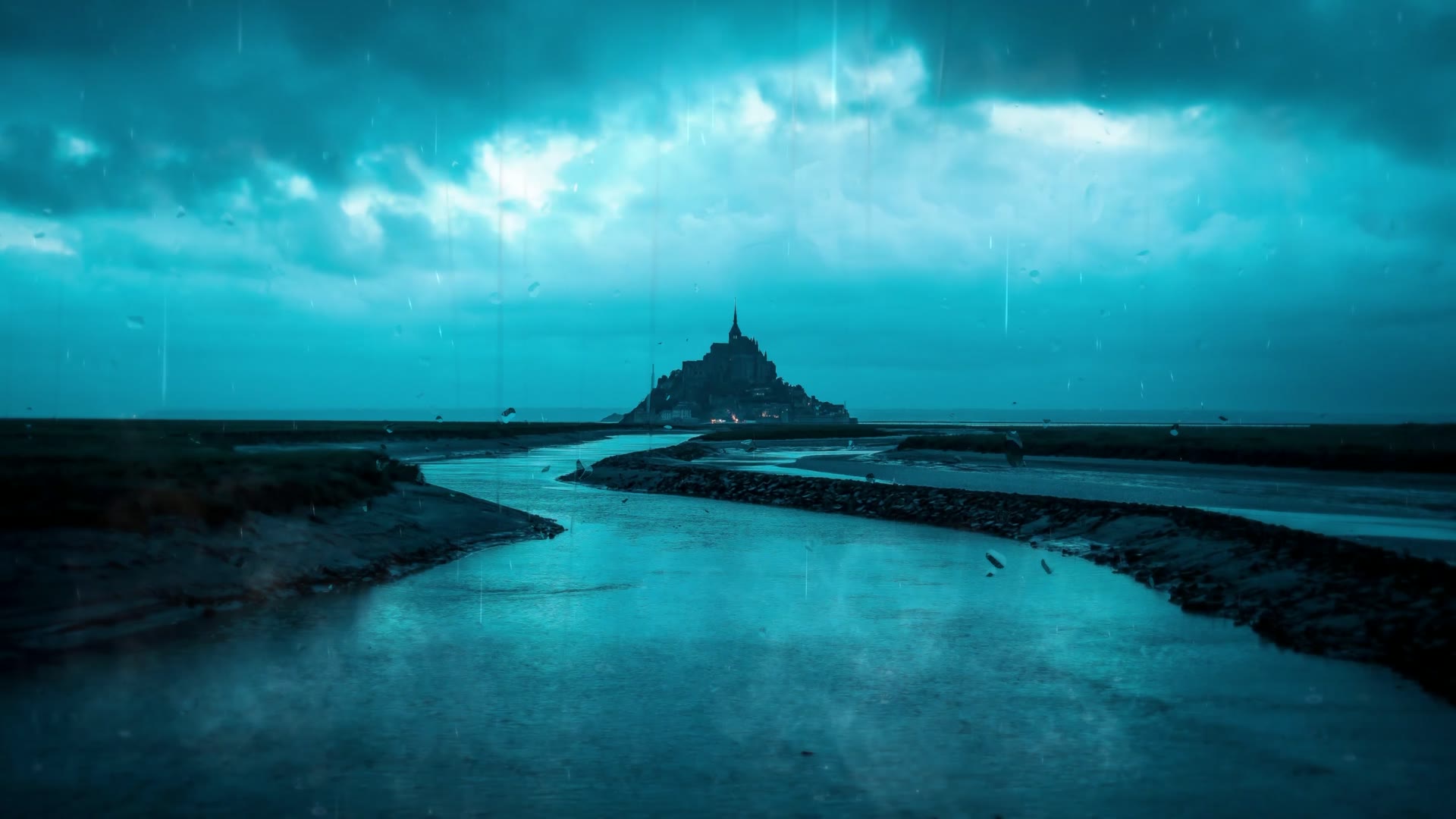
St. Michael's Mount is a 4K nature live wallpaper for Mac from the Rain collection in the MacWall catalog.
It is encoded at 3840x2160 (16:9) and loops every 16 seconds without a visible cut. Themes: monestary, church, rain, dark, england, michael's. Preview it above, then set it on your MacBook, iMac, or external display with MacWall.
In collections
How to set St. Michael's Mount as your Mac wallpaper
- Download MacWall for macOS (macOS 15 or later) and open it.
- Choose Set on Mac on this page, or search "St. Michael's Mount" in the app.
- Pick one display or all of them. St. Michael's Mount starts playing as your desktop wallpaper.
- Optional: with Pro on macOS 26 (Tahoe) or later, also use it on the Lock Screen and as a Screen Saver.
St. Michael's Mount FAQ
- How do I set St. Michael's Mount as my Mac wallpaper?
- Install MacWall, then choose Set on Mac on this page or search "St. Michael's Mount" in the app. It plays behind your windows as a live desktop wallpaper on any connected display.
- Is St. Michael's Mount a video or a still wallpaper?
- It is a video loop at 3840x2160 that repeats every 16 seconds, played with hardware decoding so it stays smooth without slowing your Mac.
- Will the St. Michael's Mount live wallpaper drain my MacBook battery?
- MacWall pauses playback behind full-screen apps and when the display sleeps, so St. Michael's Mount costs very little in everyday use.
- Can I use St. Michael's Mount on the Mac Lock Screen?
- Yes, with MacWall Pro on macOS 26 (Tahoe) or later. Pro is a one-time $12.99 payment that unlocks the full catalog, with no subscription.
More like this
Browse Nature



Try MacWall Now
Download for Mac
Minimum macOS 15.0 or later