
Cinematic 4K wallpapers
Built for Mac
MacWall is a native Mac app for 4K live wallpapers. One tap sets desktop and Lock Screen the way macOS does. It stays near idle and pauses when you unplug or go fullscreen. Free to try.
Only from $9.99 · 24-hour free trial
Only from $9.99 · 24-hour free trial
Live wallpapers on your Mac desktop with MacWall.
Quiet on the Mac
Near idle. Pauses when you unplug or go fullscreen.
CPU while a loop is playing
Near idle
CPU stays under one percent while 4K plays. No extra daemons.

Pauses with you
Battery, unplug, fullscreen, or high CPU. The loop stops.
One tap
Sets the wallpaper the way macOS does. From the same app.
Plays, then yields
The file runs on the desktop, then gets out of the way.
One Mac app
Set desktop and Lock Screen, then preview the catalog here.
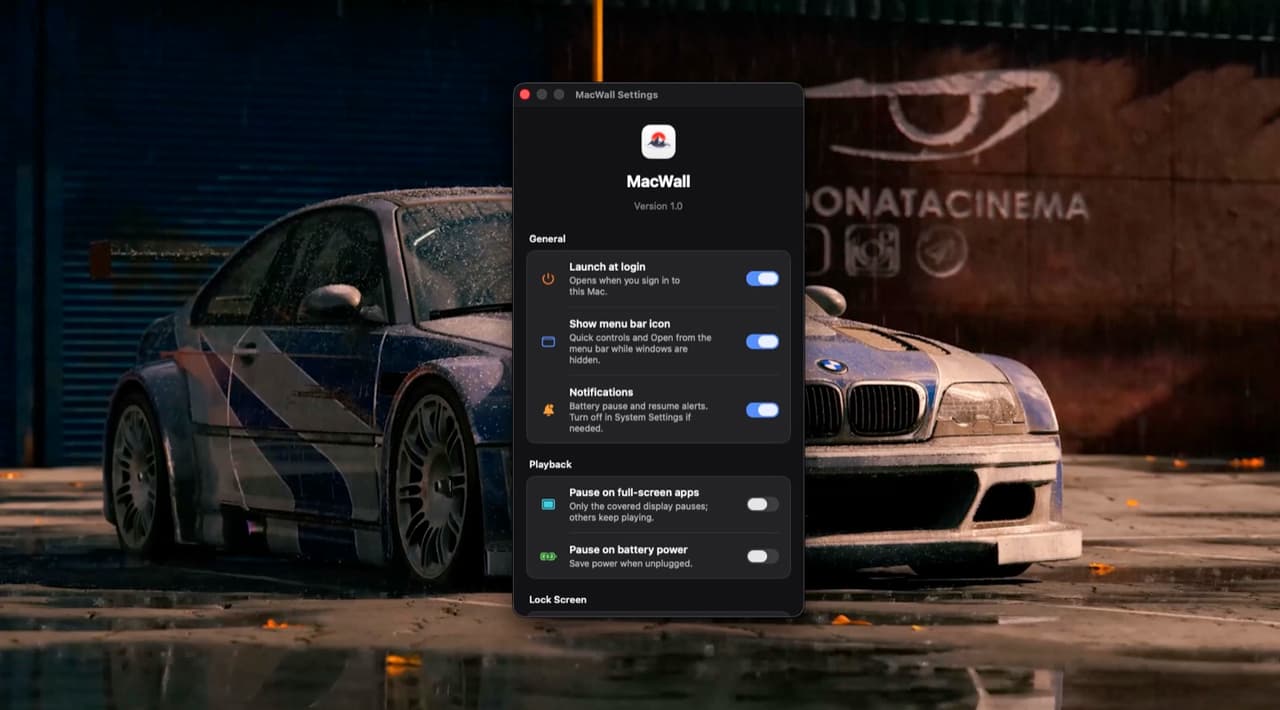
Smooth on every Mac
Written in Swift and Metal. Intel through M5. Near-idle CPU and a small memory footprint. Reduce Quality on Battery. Pause When App is Fullscreen. Pause on High CPU Usage. Retina Rendering.
Lock Screen ready
Native Lock Screen and Screen Saver on macOS 26 (Tahoe). MacWall uses Apple's wallpaper APIs. No extra installers, daemons, or overlays. Turn it off in Settings and your old wallpaper comes back.
1,000+ live wallpapers
Anime, nature, cars, gaming, space. Preview here. Set in the app.


What people say
From people who set it on their Mac.

Dev Sharma
MacBook Air · M2
Just got Virat's wallpaper and it's awesome. I really loved that one.
MacBook Air · M2

Lakshay
Mac · M5
I love the app and the wallpapers. Just a request: add more anime like Toji and Pain.
Mac · M5

Kranthi Kalyan
MacBook Air · M4
Thank you so much. Make a couple fight scenes and take all the time you need. Appreciated.
MacBook Air · M4
Dishan Shrestha
MacBook Air · M1
I want to share with the community as much as possible. I'll be submitting many videos over time.
MacBook Air · M1
Dev Sharma
MacBook Air · M2
Just got Virat's wallpaper and it's awesome. I really loved that one.
MacBook Air · M2
Lakshay
Mac · M5
I love the app and the wallpapers. Just a request: add more anime like Toji and Pain.
Mac · M5
Kranthi Kalyan
MacBook Air · M4
Thank you so much. Make a couple fight scenes and take all the time you need. Appreciated.
MacBook Air · M4
Dishan Shrestha
MacBook Air · M1
I want to share with the community as much as possible. I'll be submitting many videos over time.
MacBook Air · M1
FAQ
Licenses, macOS versions, and the Reel refund. Contact us
Try MacWall Now
Minimum macOS 15.0 or later