Cinematic 4K live wallpapers, built for Mac.
1,000+ wallpapers that move, on your desktop, Lock Screen and screen saver. A native app that pauses behind full-screen apps and barely touches your CPU.
Free for 24 hours, then $12.99 once.
Free for 24 hours, then $12.99 once.
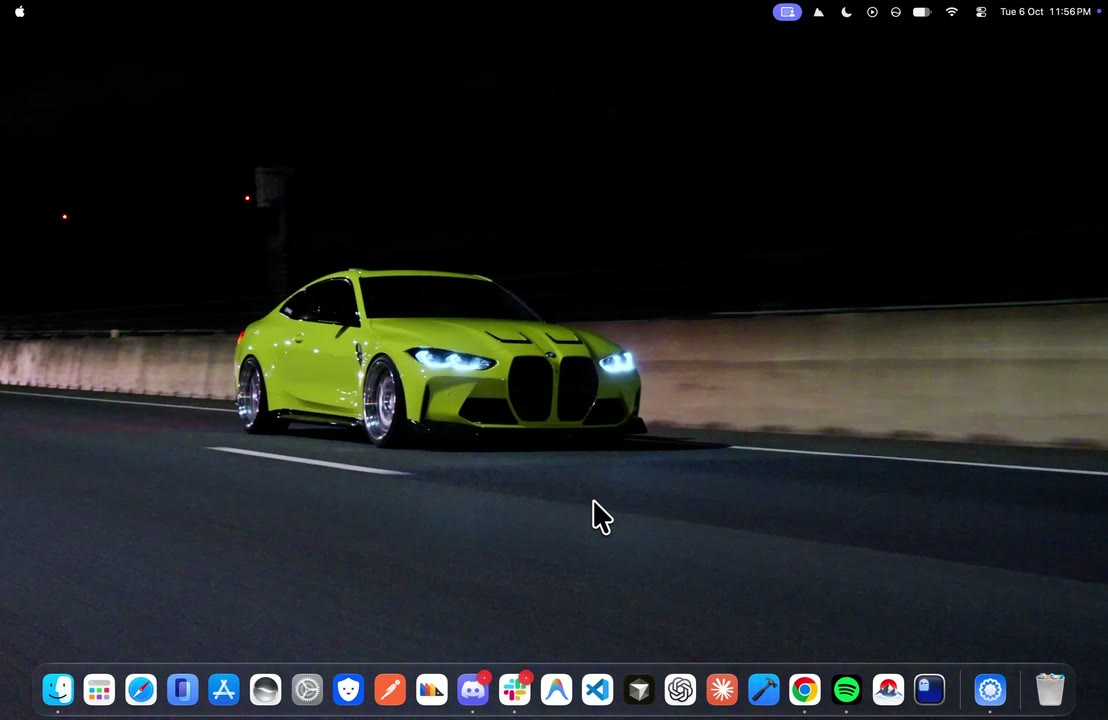
One app. Every screen.
Desktop, Lock Screen and screen saver from one native Mac app, plus two things no other wallpaper app does.
- Music SyncOnly on MacWall
Your music, on your wallpaper
Apple Music or Spotify turns your desktop into a visual made from the song's cover, moving on the beat.
- BendOnly on MacWall
Close the lid. Watch it fold.
Bend follows your MacBook's lid angle and folds the desktop with it. Apple silicon MacBooks.
- Lock Screen
Lock Screen ready
Lock Screen and screen saver play the same video from the same moment. macOS 26 (Tahoe).
<1%
CPU while 4K plays
- Pause behind full-screen apps
- Pause in Low Power Mode
- Pause when your Mac is busy
- Lower quality on battery
NativeSmooth on every Mac
Swift and Metal, Intel through M5.
Everything in the app
The small things that make it feel like part of macOS.
Home and Explore
Recommended for you, 9 categories, and an Ultrawide filter.
Set Wallpaper
Shows Downloading, Applying, then On Your Mac. Right on the button.
Search
Like Spotlight. ⌘↩ sets the highlighted result.
⌘KMenu bar
Play, pause, skip and sound without opening a window.
⌥⌘PEvery display
One wallpaper everywhere, or a different one on each screen.
Shuffle and speed
Shuffle every 15 minutes to a day. Play at 0.5× to 2×.
Sound
Some wallpapers have sound. Turn it on from the player or the menu bar.
Stills
Still images for your desktop, light on battery.
Library
Favorites, downloads, your own videos and uploads.
Bring your own
Add your own videos with Pro, or share them with the community.
⌘NShare cards
Any wallpaper as a card with a link and a QR code.
Help in the app
Instant answers, and a real person in chat when you need one.
Quiet on the Mac
Near idle. Pauses when a full-screen app covers it.
CPU while a loop is playing
Near idle
CPU stays under one percent while 4K plays. No extra daemons.

Pauses with you
Full-screen apps, Low Power Mode, or a busy Mac. The loop stops.
One tap
Desktop, Lock Screen and screen saver, the way macOS does.
Plays, then yields
The file runs on the desktop, then gets out of the way.
What people say
From people who set it on their Mac.

Dev Sharma
MacBook Air · M2
Just got Virat's wallpaper and it's awesome. I really loved that one.
MacBook Air · M2

Lakshay
Mac · M5
I love the app and the wallpapers. Just a request: add more anime like Toji and Pain.
Mac · M5

Kranthi Kalyan
MacBook Air · M4
Thank you so much. Make a couple fight scenes and take all the time you need. Appreciated.
MacBook Air · M4

Dishan Shrestha
MacBook Air · M1
I want to share with the community as much as possible. I'll be submitting many videos over time.
MacBook Air · M1
Dev Sharma
MacBook Air · M2
Just got Virat's wallpaper and it's awesome. I really loved that one.
MacBook Air · M2
Lakshay
Mac · M5
I love the app and the wallpapers. Just a request: add more anime like Toji and Pain.
Mac · M5
Kranthi Kalyan
MacBook Air · M4
Thank you so much. Make a couple fight scenes and take all the time you need. Appreciated.
MacBook Air · M4
Dishan Shrestha
MacBook Air · M1
I want to share with the community as much as possible. I'll be submitting many videos over time.
MacBook Air · M1
Two ways to play
Pick one in Settings → Wallpaper → Playback. Switch any time.
| Moment | RecommendedSystem WallpapermacOS plays your wallpaper itself, like one of its own. | More controlMacWall AppMacWall plays the desktop, behind your icons. |
|---|---|---|
| You quit MacWall or restart | YesKeeps playing | NoDesktop waits for MacWall |
| You lock your Mac | YesLock Screen and screen saver match the desktop | YesA different wallpaper on the Lock Screen |
| Sound on the Lock Screen | YesPlays | NoMuted |
| Separate Lock Screen wallpaper | NoSame as the desktop | YesYes |
| Your macOS | macOS 26 | macOS 15 and later |
FAQ
Licenses, macOS versions, and the Reel refund. Contact us
Try MacWall Now
Minimum macOS 15.0 or later